Ever click a link and get a page of %’s and gibberish characters and more %’s and gibberish? That’s not an error. That’s just a URL that has been generated but has not been encoded yet.
URLs are rather particular. HTTP has a particular set of allowed characters, and the moment that you slip a space, ampersand or other special, “foreign” character, it all falls apart.
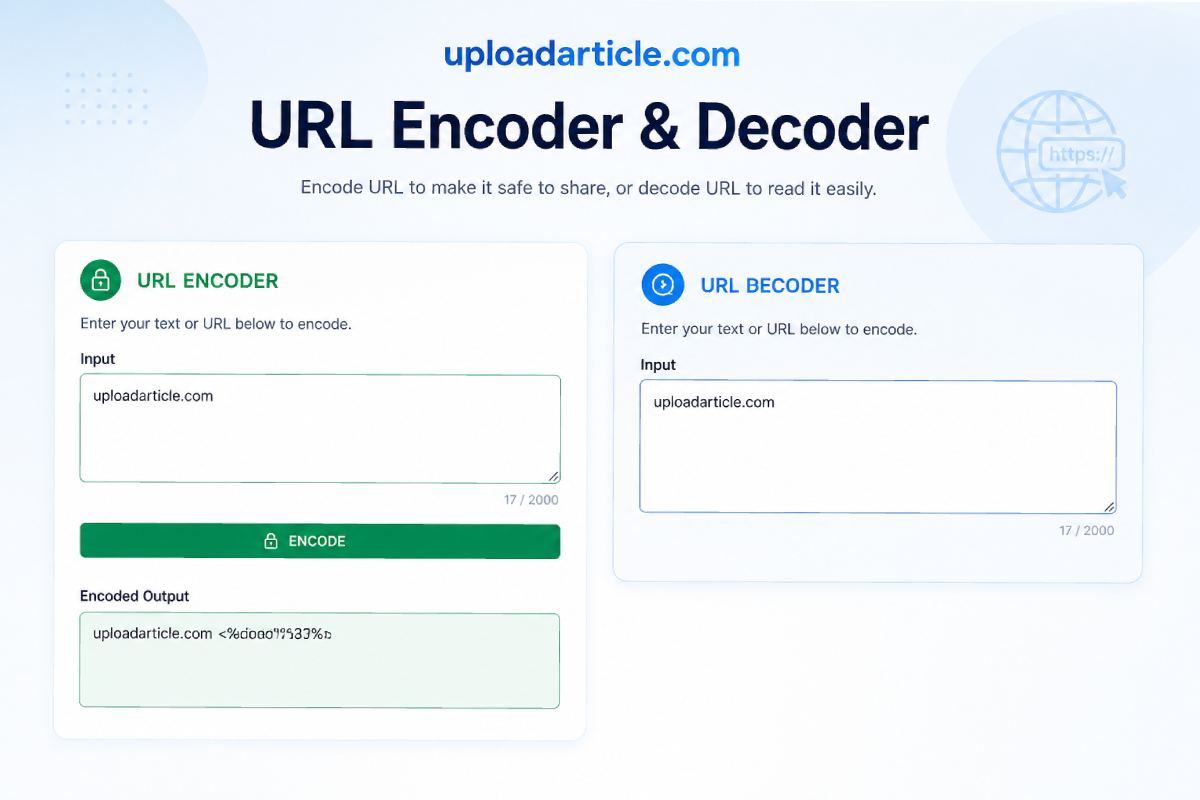
The great thing is, UploadArticle.com’s URL encoder/decoder tool will do the job in no time, without having to write a single line of code.
Table of Contents
What Is URL Encoding and Why Does It Exist?
Here is a fact, overlooked by many: the internet wasn’t designed for spaces, symbols, or emoji in URLs. All web traffic is in HTTP, which, when sent from server to server, only understands ASCII. Non-ASCII characters are translated, or “encoded,” before they’re allowed to be transmitted in safety.
This encodes those “unsafe” characters and converts them into percent signs with two hexadecimal numbers. The at-sign is %40, and spaces are %20, ampersand %26 etc. This does not hurt the usability of the url or the information inside of it.
A few quick examples to make this concrete:
- Space: https://example.com/search?name=John Doe becomes https://example.com/search?name=John%20Doe
- At sign: user@email.com passed as a parameter becomes user%40email.com
- Ampersand: category=books&page=2 becomes category%3Dbooks%26page%3D2
Decoding reverses the whole process. It converts encoded URLs back into readable text, which is helpful when someone sends you a garbled-looking link and you need to understand what it actually contains.
One thing worth clearing up early: encoding is not encryption. It does not hide your data or protect it. If someone finds the URL, they can decode it just as easily as you encoded it. Encoding is about web compatibility, not security.
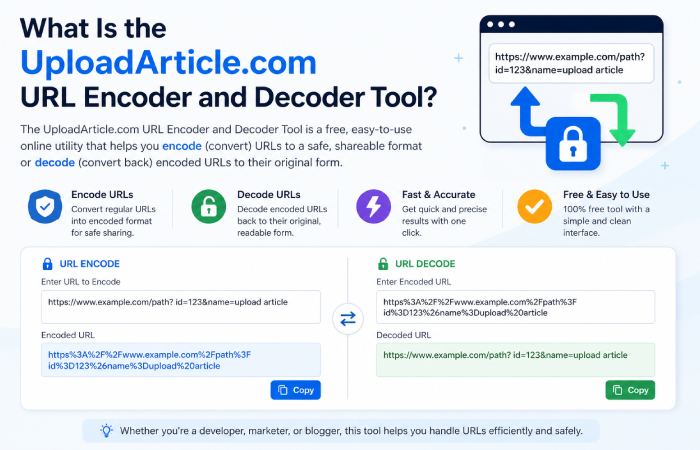
What Is the UploadArticle.com URL Encoder and Decoder Tool?
UploadArticle.com is a free web utility platform built for developers, marketers, and everyday users who need practical tools without the friction. Their URL encoder and decoder stands out for being straightforward and fast.
The tool runs entirely within your web browser. There’s no need for any installation, no account needed, no paywall to access any features. Simply paste in your URL, click either encode or decode and the result is displayed instantly.
As a URL encoder/decoder tool online it performs two operations quite well. You are able to convert raw URL characters to encoded characters that are safe to send over the web and similarly take an unintelligible encoded string and decode it back to plain text.
How to Use It: A Step-by-Step Walkthrough
Most articles covering this tool skip the part where they actually show you how to use it. Here is what working with the URL encoder and decoder UploadArticle.com tool looks like in practice:
- Open the UploadArticle.com URL encoder and decoder page in your browser.
- Paste your raw URL or encoded string into the input field.
- Select whether you want to Encode or Decode.
- Click the action button and your result appears instantly.
- Copy the output and use it wherever needed.
Tip: if you only need to encode a parameter value and not the full URL, paste just the value into the tool. Encoding the full URL including the https:// and slashes collapses the structure. Only the values passed as query parameters need encoding.
Also worth noting: always decode before editing. If someone sends you an encoded URL and you need to change a parameter, decode it first, make your edits, then re-encode. Editing directly inside an encoded string is a reliable way to break things.
Who Actually Uses a URL Encoder and Decoder Online Tool?
More people than you might expect. Here is where this tool shows up across real workflows:
Digital Marketers and SEO Professionals
UTM parametersare the building blocks of campaign tracking, but sometimes there can be spaces, brands with special characters, or other symbols within your parameters. If the UTM links are not encoded, those links will break midway through the redirect and you won’t get the correct attribution data. Running these through this URL encoder/decoder online tool will save you from this problem.
Developers Working With APIs
REST APIs regularly receive data through URL query strings. When that data includes email addresses, special characters, or fragments of JSON, encoding is not optional. Developers use this tool to verify how a parameter looks after encoding, without opening a code editor to test one edge case.
Affiliate Marketers and Link Builders
Redirect URLs in affiliate systems often contain encoded destination links nested inside them. Without proper encoding, the destination URL breaks the redirect entirely. This URL encoder and decoder UploadArticle.com tool helps build links that actually deliver traffic, and decode them when something looks off.
Students and Non-Technical Users
Sometimes you just want to understand what a strange-looking URL in your browser bar actually means. Pasting it into a decoder answers that in two seconds. No Stack Overflow thread required.
Common URL Encoding Mistakes Most People Make
Most guides skip this section. That is exactly where things tend to go wrong in practice:
- Double encoding: Encoding a URL that is already encoded. A space becomes %20 the first time, then %2520 the second time because the percent sign gets encoded too. The URL looks fine but arrives broken.
- Encoding the full URL instead of the parameter value: If you encode the entire URL including https:// and slashes, the structure collapses. Only encode the values passed as parameters, not the base URL.
- Forgetting the plus sign in email addresses: The + character in a URL means a space in query strings. An email address with a + passed as a URL parameter without encoding it will fail validation at the receiving end.
- Encoding when the server expects plain text: Some older systems or internal APIs do not decode incoming parameters. Sending encoded values to those endpoints causes them to treat the percent signs literally, which is just as broken as sending unencoded characters.
Why Use a Tool When You Could Just Code It?
Developers will rightly point out that Python has urllib.parse, JavaScript has encodeURIComponent(), and PHP has urlencode(). All true. The URL encoder and decoder UploadArticle.com tool is not trying to replace those functions for production code.
What it replaces is the five minutes you would otherwise spend opening a code editor, writing a quick test script, running it, and copying the output, just to check one URL. For quick checks and debugging, a browser-based URL encoder and decoder online tool is simply faster.
It also works on mobile. When you spot a broken link on your phone and need to check what the encoded value says, you are not opening a terminal. You are opening a browser tab.
The Bottom Line
URL encoding is one of those things the internet quietly depends on but nobody thinks about until something breaks. When a tracking link fails, when an API returns a cryptic error, when a redirect lands on the wrong page, there is a decent chance that URL encoding or the absence of it is the reason.
The URL encoder and decoder UploadArticle.com tool gives you a fast, free, and reliable way to handle both sides of that problem. It takes no code, no installation and will work on any of the gadgets you own when the issue arises.
So the next time you encounter some shady looking URL or broken looking link just paste the URL in to the decoder instead of spending the next hour or so on the trouble-shooting process, 9 times out of ten the answer lies in the encoding.
Also Read: XXCXXC Renegade 1000 XXC: Features, Performance & Buying Tips